Why an onboarding map
Your team already has the information: a repository, a wiki, design notes, recorded decisions. The newcomer still has to work out where to begin and which parts matter now.
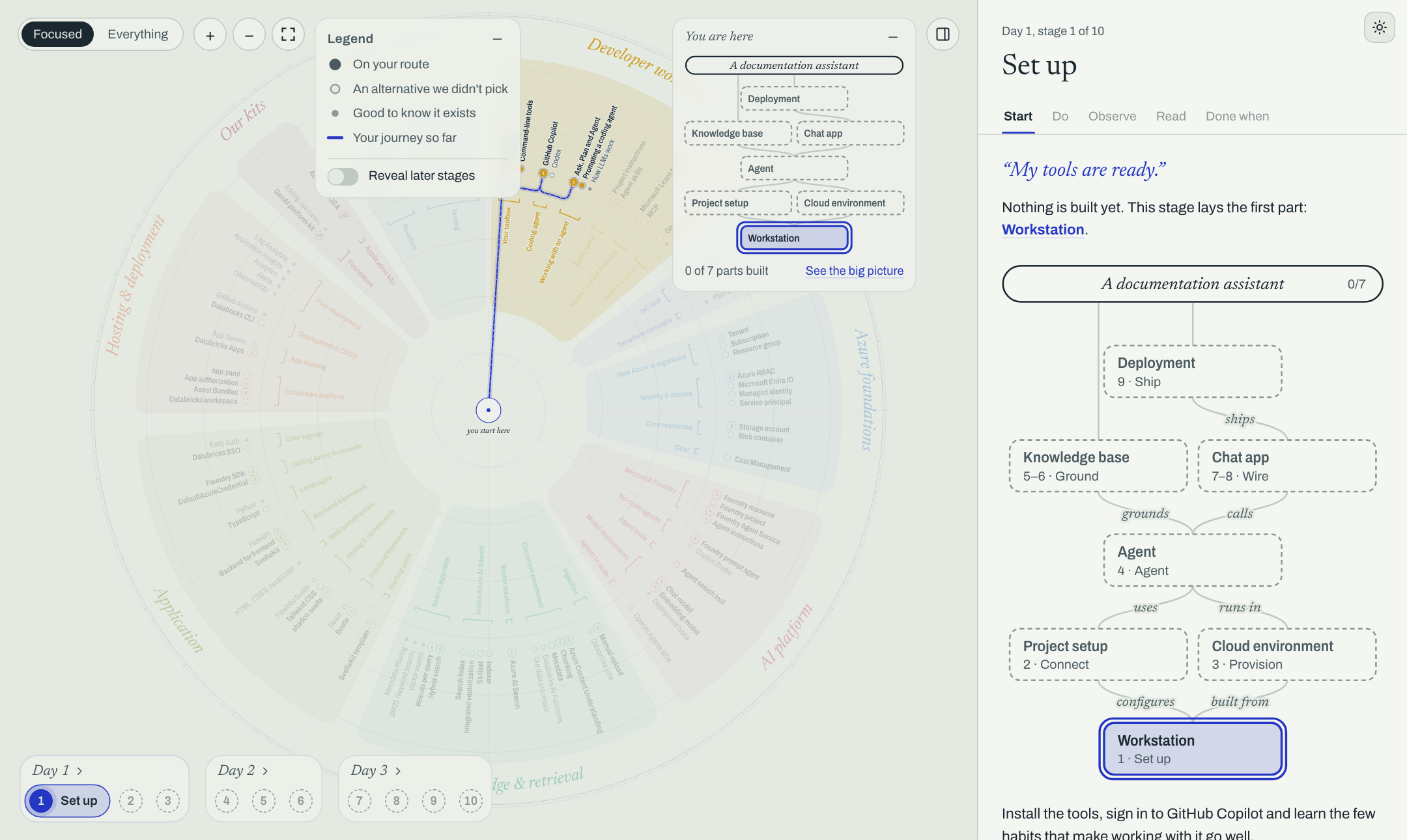
An onboarding map answers two questions at once: what is here? and what should I do first? It shows the subject as a territory, then marks one route through it in stages. The newcomer can follow that route without mistaking it for everything there is to learn.
A route with its surroundings
Section titled “A route with its surroundings”A reading list gives an order, but not the context around each topic. A wiki gives context, but not an order to follow. The map keeps both: items on the route, nearby things worth recognising, and alternatives the team chose not to use.
The data is one file, usually map.ts. The full file can be long; you can give your source material
to a coding agent and let the installed skills guide it through the draft and later edits. The
package turns that file into a static site.
The learner opens the site in a browser. Their place in the route and their notes stay in that browser; the site needs no application server.
Next: how it works.